Are you searching for ways to make your presentations stand out? Are you hoping that text and images will allow you to communicate your message effectively to an audience? Whiteboard animation software resources bring stories and ideas to life by visualizing them on a virtual whiteboard.
Whiteboard animation software makes creating engaging and original content much simpler. Whether that means introducing your business, finding suitable animated graphic makers for creating comic strips or exploring ways to turn funny animated images into comics. Whiteboard animation is always an engaging and effective way to present.
In this article, we list 12 top whiteboard animation resources. Some are even free whiteboard animation makers. Read through to discover which will best meet your needs!
What Is Whiteboard Animation?
Whiteboard animation refers to a method in which an author draws an illustrated tale on a whiteboard or something white; typically in black and white colors. Viewers can see every step of this engaging drawing process. Sometimes with an accompanying narrative that allows viewers to follow along step-by-step.
Below are a few key points for selecting an animation software package.
Price: A reasonable and cost-effective price; free would even be preferable.
Customization: Animation software comes equipped with customizable templates that you can alter according to your own desires.
Easy to Use: Simple software resource solutions can save time.
Top 12 Whiteboard Animation Software You Should Try Out
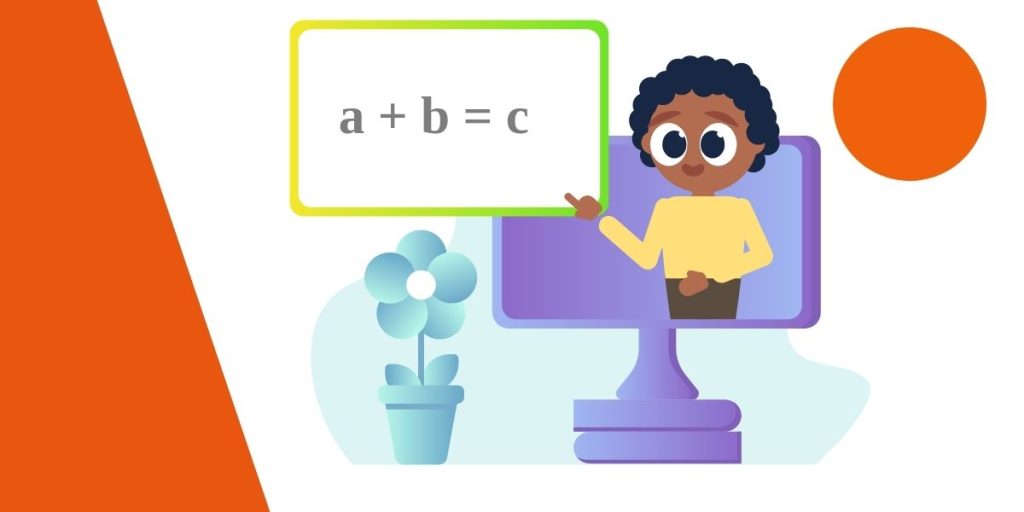
Here are 12 whiteboard animation resources we found for you, read up and watch how they work!
Filmora Animation Maker
Filmora is one of the best animation makers for creating whiteboard animation videos. It offers users three-dimensional and two-dimensional options with keyframe support, enabling smooth and natural-looking motion animation.
Filmora provides more than just whiteboard animation; it also provides various effects tailored to various video themes.
Features
- Easy way to add whiteboard or blackboard animations.
- Simply create animations with keyframes added.
- Create templates to apply animations with just one click!
RawShorts
RawShorts can help you create whiteboard explainer videos easily. It features an intuitive drag-and-drop interface and the free version allows for creating 2-minute-long whiteboard videos with three exports available per month.
Choose from animated whiteboard templates or create something from scratch with this program. Rendering and sharing videos easily via YouTube, Facebook, and other platforms.
RawShorts is designed for anyone to use. From business videos for clients and marketing strategies to training videos, the software works flawlessly.
Features
- Easy image manipulation through drag-and-drop functionality
- Over 100,000 whiteboard-style templates, graphics, and original characters.
- Add animated charts to your content for an added boost of excitement and visual interest.
- Create whiteboard animation videos using our free demo.
Renderforest
Renderforest is an intuitive whiteboard animation resource that makes creating engaging short animations straightforward and creatively engaging videos easy. Telling stories through videos is much better than continually repeating information verbatim during presentations like PowerPoint slideshows.
Cloud software means no specialized machines are needed to run it, while there are already hundreds of pre-made scenes you can use to enhance your whiteboard animation short.
By giving you the ability to view and edit your video before rendering, we enable you to spot and correct any potential mistakes that would otherwise go undetected in its final form.
Features
- Hundreds of interesting templates
- Close to 400 animated scenes pre-created
- Online content editing
Animaker
Another free whiteboard animation software, Animaker is perfect for easily creating whiteboard animation videos with various functions and features. There’s even a free-to-use option with full video-length support but can only export 2 minutes at a time in its free version. Furthermore, Animaker supports characters and props, animated maps/charts/infographic icons, etc. Everything that’s needed to produce quality videos easily and conveniently!
Your free whiteboard animation software plan entitles you to five whiteboard videos every month, however, only SD-quality videos can be uploaded directly to YouTube with this plan. Should your needs change at any point during this month-long trial period, the upgrade path from the free plan to the advanced plan can always be taken.
Features
- You can add effects, text, and music to make whiteboard animation videos even better
- The new upgraded version now includes four more styles to use.
- More than 1,000 brands utilize this whiteboard animation software.
Powtoon
If you want a quick way to create whiteboard animation videos quickly, Powtoon offers a free whiteboard video maker that will make the process easy and engaging. Use Powtoon instead of only images when making presentations. The short videos make presentations much more captivating. For beginners in whiteboard animation fields, Powtoon also provides live webinars and training center expertise in order to start animating easily.
Utilizing free whiteboard animation software, you can produce up to three minutes in HD quality with 100MB storage available for storage.
Features:
- Make your whiteboard animation truly exceptional by using royalty-free music that is available free of charge.
- Use an object for free use for video editing purposes.
VideoScribe
VideoScribe, a free whiteboard animation software, lets you use drag and drop for seamless whiteboard animations. Choose from various images and music to make your animation even better, used by the BBC for creating videos. Plus, its free plan provides access to over 5,000 images that you can use. Record voiceover yourself or have someone record for you for added authenticity if that’s something that appeals to you; share videos on YouTube, Vimeo, or PowerPoint easily too.
Features:
- Export of MOV and WMV animation video files
- Start animating today by importing assets.
Biteable
Biteable’s whiteboard video creator is one of the easiest-to-use solutions available today. Do you want to create animated videos for your business, website, social media profile, classroom, or training seminar? Biteable will make the process very straightforward for you – with one video per month download/sharing allowed with its free version and other restrictions enforced via its paid list option.
Biteable’s primary advantage lies in its intuitive user experience; every feature of its software is fully explained in its help section for effortless use. Should you ever run into difficulty, advice will always be readily available on how best to proceed.
Whiteboard animation makers make your life even simpler by offering many templates you can choose from for use directly or customized according to your own specifications.
Feature
- Choose a video style from the templates
- Add your text, images, and colors
- Easy drag-and-drop interface
- Choose the soundtrack for your video
- Share the finished product in any way you want
Anireel
Anireel is an easy and effective video creativity tool used to produce whiteboard-animated explainer videos. Anireel from Wondershare, one of the leading Windows software and tool developers, utilizes ready-to-use assets and an easy user experience for quickly creating whiteboard animated videos.
Features
- There is an abundance of drag-and-drop characters, actions, props, texts, and audio assets.
- Text-to-speech conversion is made simple using advanced deep learning technology.
- Engage integrated and imported assets by animating them.
- There are various templates for different script types available online.
MySimpleShow
MySimpleShow makes creating explainer videos easy for corporate situations, with its free whiteboard animation plan. Communicate marketing ideas or highlight the usefulness of new products with vivid imagery and graphics using MySimpleShow in an engaging video that engages students. Whether in an educational setting or for personal purposes such as crowdfunding a campaign – using MySimpleShow can also give you access to a public video page for free.
Pros
● Easy-to-use storyline templates are included for quick setup
● The software takes care of all of the technical details for you and allows you to get started completely for free.
● Available with audio capabilities to add sound effects during presentations.
Cons
● Strict storyline restrictions
VideoJeeves
There are various whiteboard animation options available with VideoJeeves, making your job of creating whiteboard animation easier. Major companies such as LeadGen, Freelancer.com, and GoldExport use it regularly as well.
Pros
● VideoJeeves has experts to assist with creating whiteboard animation.
● Features for concept and script writing, themes and storyboard creation, illustration design, and voiceover production (if necessary).
Cons
● It has an elevated learning curve
TruScribe
TruScribe offers its customers customized plans where they can have whiteboard animation stories created. The process starts by requesting a quote on the TrueScribe website and receiving more specific details regarding the process and pricing information.
Pros
● Scribology is an innovative whiteboard video creation method developed using neuroscience and behavioral psychology concepts.
● Small creative teams work tirelessly to develop custom video scripts for clients – providing each with premier service.
● Artists create images by drawing them and then help bring them to life through animation and lifelike rendering.
Cons
● No free option provided
Easy Sketch Pro
Easy Sketch Pro’s appeal lies in its accessibility; anyone can use this whiteboard video maker to produce any type of whiteboard animation they can imagine. From selecting pre-created graphics or designing their own to using compatible tablets to make things even simpler when creating animation. Easy Sketch Pro makes whiteboard animation simple for anyone.
Pros
- With its simple drag-and-drop interface for sketch video creation, this software offers users an effortless sketch video creation experience.
- Create videos or stop-animation concepts from scratch.
- Integrate videos seamlessly into your sketches, including adding voice-overs, text, graphics, and other items such as voicemail.
Cons
- Purchase is necessary.
- No professional assistance is available for animation creation.
Conclusion
These eight options represent your top choices if you wish to create whiteboard animation content. No matter the project at hand – whether a video production, graphics creation or anything in between – these free downloads will help get the ball rolling. Filmora offers the perfect solution if you are seeking to edit whiteboard animation videos. Download it now to give it a try. It offers awesome editing features and free video effects that are easy to use. Getting it now to give it a go is the only way!
FAQS
-
Is Whiteboard Animation Hard?
Whiteboard animation can be challenging, depending on your skills and experience. Drawing, storytelling, software usage, and patience all play essential roles. But with practice comes ease – eventually.
-
Is Whiteboard Animation Free?
Whiteboard animation typically is not free. While free software options do exist, they usually have their own limitations. Professional whiteboard animation tools usually come at a cost, and additional expenses could include licensed content.
-
How Long Does It Take to Make a Whiteboard Video?
The amount of time needed to generate a whiteboard video is proportional to the film’s length and level of complexity. It might take a few days to finish a short video, but producing a longer or more complicated one might take many weeks.
-
Is Whiteboard Animation Outdated?
Whiteboard animation hasn’t gone out of fashion, yet. Though less trendy than some newer techniques, whiteboard animation still serves as an engaging and effective means of conveying information, telling stories, and producing educational content. Many businesses and educational institutions continue to rely on it due to its ease of use and ability to captivate their audiences.